
Best AI Image to Video Tools for Anime in 2026
Seven AI image-to-video tools compared for anime: what each gives free, the cheapest paid plan, and how to test character consistency.
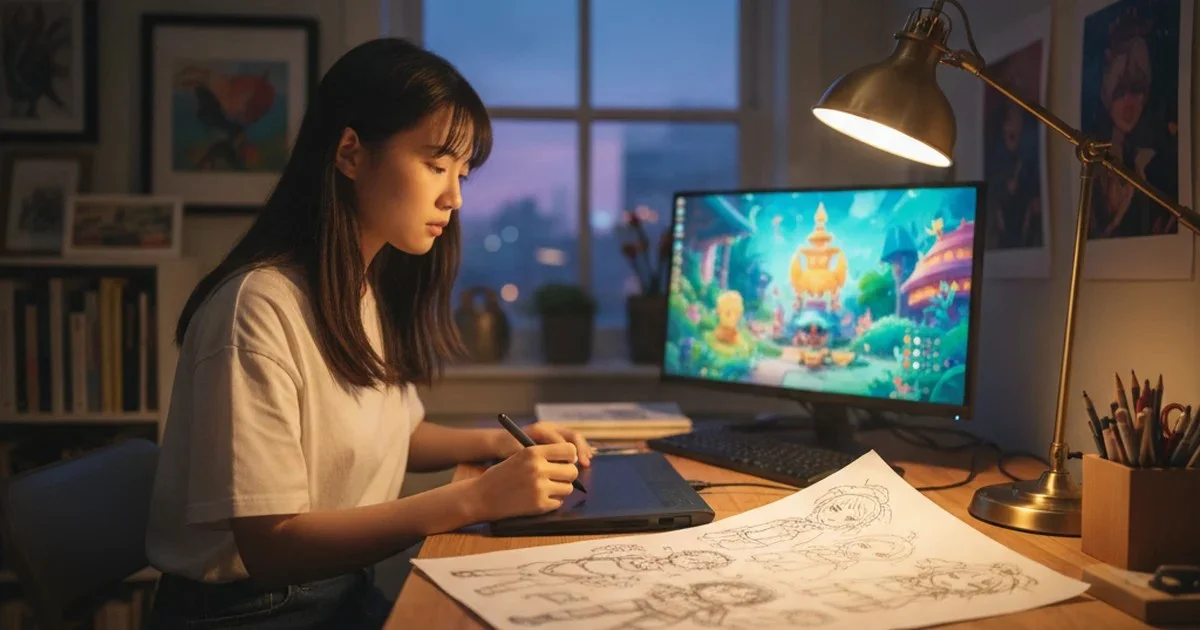
Anime is the hardest style to animate from a still. A photoreal clip can hide a small shift in a face behind lighting and motion blur. Anime cannot: the audience reads a character through a handful of flat graphic features (eye shape, hair silhouette, line weight, a costume detail), and the moment one of them drifts between frames, the clip looks wrong.
So the question for 2026 is less "which tool animates an image" (they all do) and more "which tool keeps my character looking like my character, and what does that cost before I commit". We read the pricing and plan pages of seven image-to-video tools on November 4, 2026 and set out what each one actually gives you for free, what the first paid step costs, and where each fits for anime work.
The short answer
- Best genuinely free allowance: PixVerse and Vidu, the only two of the seven whose recurring daily credits a non-paying account can spend on video.
- Best for a single polished hero shot: Runway or Kling, if you are willing to pay from the first week.
- Best for multi-shot anime sequences with a consistent character: a workflow tool that defines the character as an asset first, such as OiiOii, which runs ByteDance's Seedance 2.5 inside a storyboard pipeline.
What "free" means on each tool
This is the original finding of this guide. We counted, for each of the seven tools, whether a non-paying account gets a recurring allowance it can spend on video, a one-time allowance, or nothing beyond paid credit packs.
| Tool | Free allowance (as listed Nov 4, 2026) | Cheapest paid plan | Anime-relevant note |
|---|---|---|---|
| PixVerse | Basic plan: 60 starting credits plus 30 daily credits, video up to 540p | Standard, $10/month ($8/month billed yearly), 1,200 credits plus 60 daily | Watermark-free output is listed on paid plans |
| Vidu | Trial credits at sign-up, plus credits for logging in daily | Plan prices load client-side; check the page | Plan page highlights "Smooth 2D Animation" and multi-reference consistency |
| Runway | 125 one-time credits | Standard, $15/month ($12 billed yearly), 625 credits | Gen-4.5 costs 60 credits per 5 seconds |
| Pika | Free plan with access to all models, paid via credit packs; no commercial license | Starter, $10/month, 900 credits, commercial license | Free plan output carries no watermark |
| Kling | Daily free credits are listed as a subscriber benefit | Standard, $6.99 for the first month, 660 credits/month | Watermark removal and 1080p/4K listed on paid plans |
| Luma | No free plan on the pricing page | Plus, $30/month, 10,000 credits | Commercial use from the first plan |
| OiiOii | Reward credits: 60 at sign-up, 60 across the first week of check-ins, then 20 per day | About $16/month on quarterly billing | Seedance 2.5 and the story workflow are for members; rewards reduce cost rather than unlock access |
Two of seven tools (PixVerse and Vidu) give a non-paying account a recurring daily allowance it can spend on video. Runway's free allowance is one-time: at 60 credits per 5 seconds of Gen-4.5, 125 credits buys roughly 10 seconds of footage, enough for two short test shots. Method: we read each vendor's own pricing or plan page on November 4, 2026; the OiiOii reward figures come from its own guide dated October 14, 2026. Promotions change these numbers often, so re-check before you plan a project around them.
If free is the hard requirement, start with this roundup of free AI image-to-video tools for anime in 2026, which walks through stretching a small credit balance across a real test.

Source: each vendor's pricing page, read November 4, 2026. OiiOii is shown as its monthly equivalent on quarterly billing.
The tools, one by one
PixVerse: the most usable free tier
PixVerse's pricing page lists a $0 Basic plan with 60 starting credits and 30 credits that reset daily. Output on Basic is capped at 540p, and watermark-free, ad-free output is listed as a paid-plan feature. For anime that resolution cap matters: thin line art is the first thing to break down at low resolution. Use Basic to learn how the model handles your style, then pay for a month (Standard is $10, or $8 a month billed yearly, with 720p output) when you need clips you can actually post.
Vidu: built with 2D animation in mind
Vidu's pricing page is the only one of the seven that names 2D animation as a headline feature ("Smooth 2D Animation"), alongside multi-reference consistency. New users get trial credits, and logging in daily earns more. Bonus and purchased credits stay valid for two years, which suits hobbyists who generate in bursts. The plan prices themselves load client-side, so check them in a browser.
Runway: strong output, thin free allowance
Runway gives 125 one-time credits on its free plan, roughly 10 seconds of Gen-4.5. The paid Standard plan is $15 a month with 625 credits, no watermarks. Runway also lists third-party models inside its app, including Kling 4.0 and Seedance 2.0 Pro, so one subscription lets you compare engines on the same anime still. Treat it as a pay-to-use tool with a short trial.
Pika: free access, pay per credit pack
Pika's Free plan gives access to every model and runs two video jobs in parallel, but you buy credit packs to generate, and the Free plan carries no commercial license. Starter at $10 a month adds 900 monthly credits and the commercial license. If you plan to post anime clips on a monetized channel, the license line is the one to read.
Kling: cheapest first month
Kling's plan page opens at $6.99 for the first month of Standard (660 credits a month), with daily free credits listed as a subscriber benefit, along with watermark removal and 1080p/4K generation. That makes it the cheapest way to get a month of high-resolution output, and the first-month price is a one-time offer.
Luma: no free plan, commercial use from day one
Luma's pricing starts at Plus, $30 a month for 10,000 credits, with commercial use included. It is the most expensive entry point here and the easiest to justify for client work, less so for a fan project.
OiiOii: character-first sequences on Seedance 2.5
OiiOii approaches the problem from the other end. Rather than animating a still in isolation, its story workflow has you design the character and scenes as assets first, then generates each shot (4 to 30 seconds, 1080p, up to 50 reference inputs) against those assets. That is the technique that stops a face drifting across a sequence, and it is the reason to look at it if your project is more than one shot. Its rewards (60 credits at sign-up, 60 more across the first week, then 20 a day for checking in) lower the cost of a membership; they do not unlock Seedance 2.5 on their own. For a comparison focused on output quality rather than price, see this guide to the best AI image to video tools for anime-style work.
How to test a tool on your own anime art
Feature lists will not tell you which tool keeps your character intact. A 20-minute test will.
- Pick one character with a checkable detail: an asymmetric fringe, a scar, a specific collar.
- Generate three shots from the same still: a slow push-in, a head turn, and a full-body move.
- Compare stills from the end of each clip against the source image, looking only at face shape, hair silhouette and that one detail.
- Regenerate the weakest shot once. If it moves closer to the source, the tool is referencing your image well. If it drifts further, no prompt will fix it.
Run that test on a free tier first. Three short clips fit inside PixVerse's daily allowance or Runway's one-time credits.
Habits that save credits on anime clips
- Lead with the image, not the paragraph. A clean reference carries face, costume and palette better than any description; keep the prompt for action and camera.
- Ask for less motion. Anime reads well with limited animation. Big camera moves are where line art smears and faces re-draw.
- Match duration to the action. A gesture that reads in five seconds costs a fraction of a 10-second clip that idles for the second half.
- Fix the aspect ratio first. Several tools set it before generation, so decide between 16:9 and 9:16 before you spend credits.
Bottom line
For pure zero-cost experimentation, PixVerse and Vidu are the only two of the seven that keep topping up a free account. For a single striking clip, Kling's first month or a month of Runway buys the most polish. For a sequence where the same character has to survive ten shots, pick a workflow that locks the character first, and budget for a membership rather than chasing free credits.
Frequently Asked Questions
Which AI image to video tools for anime are free in 2026?
As of November 4, 2026, PixVerse (60 starting credits plus 30 daily on its Basic plan, up to 540p) and Vidu (sign-up trial credits plus daily login credits) are the two of the seven tools we checked that give a non-paying account recurring credits it can spend on video. Runway gives 125 one-time credits.
How do I keep an anime character consistent across AI video clips?
Start every shot from the same reference image or character asset, ask for limited motion, and test three shots from one still before committing. Tools that define the character as an asset first hold faces steadier across a sequence.
What is the cheapest paid AI image to video plan?
On November 4, 2026, Kling offered $6.99 for the first month of Standard; for a steady monthly price, PixVerse Standard and Pika Starter were both $10 a month.

Written by
David KimDavid Kim is a technology journalist and product reviewer based in San Francisco. With a background in computer science and over 10 years covering consumer tech, he specializes in testing laptops, smartphones, smart home devices, AI tools, and software. His reviews have appeared in leading tech publications.
Full profileEmbed Badge
Add this badge to your site to share this recommendation.
<a href="https://www.bestin2026.com/articles/best-ai-image-to-video-tools-anime-2026" target="_blank" rel="noopener"><img src="https://www.bestin2026.com/api/badge?title=Best%20AI%20Image%20to%20Video%20Tools%20for%20Anime%20in%202026" alt="Best AI Image to Video Tools for Anime in 2026 - Best in 2026" width="200" height="50" /></a>Keep Reading
Related Content
Articles

Products
Best Espresso Machines of 2026
Cafe-quality espresso at home. We pulled thousands of shots to find the best espresso machines from beginner-friendly to prosumer.
Feb 5, 2026
Best Air Purifiers of 2026
Clean air for every room size and budget. We measured real particulate removal rates to find the air purifiers that actually work.
Feb 5, 2026
Best Standing Desks of 2026
Sit-to-stand desks that are actually worth buying. We tested 22 electric standing desks for stability, speed, and build quality.
Feb 5, 2026