
Best Digital Family Calendars 2026: 3-Year Cost
Apolosign, Skylight, Hearth and Cozyla compared on what each actually costs over three years.
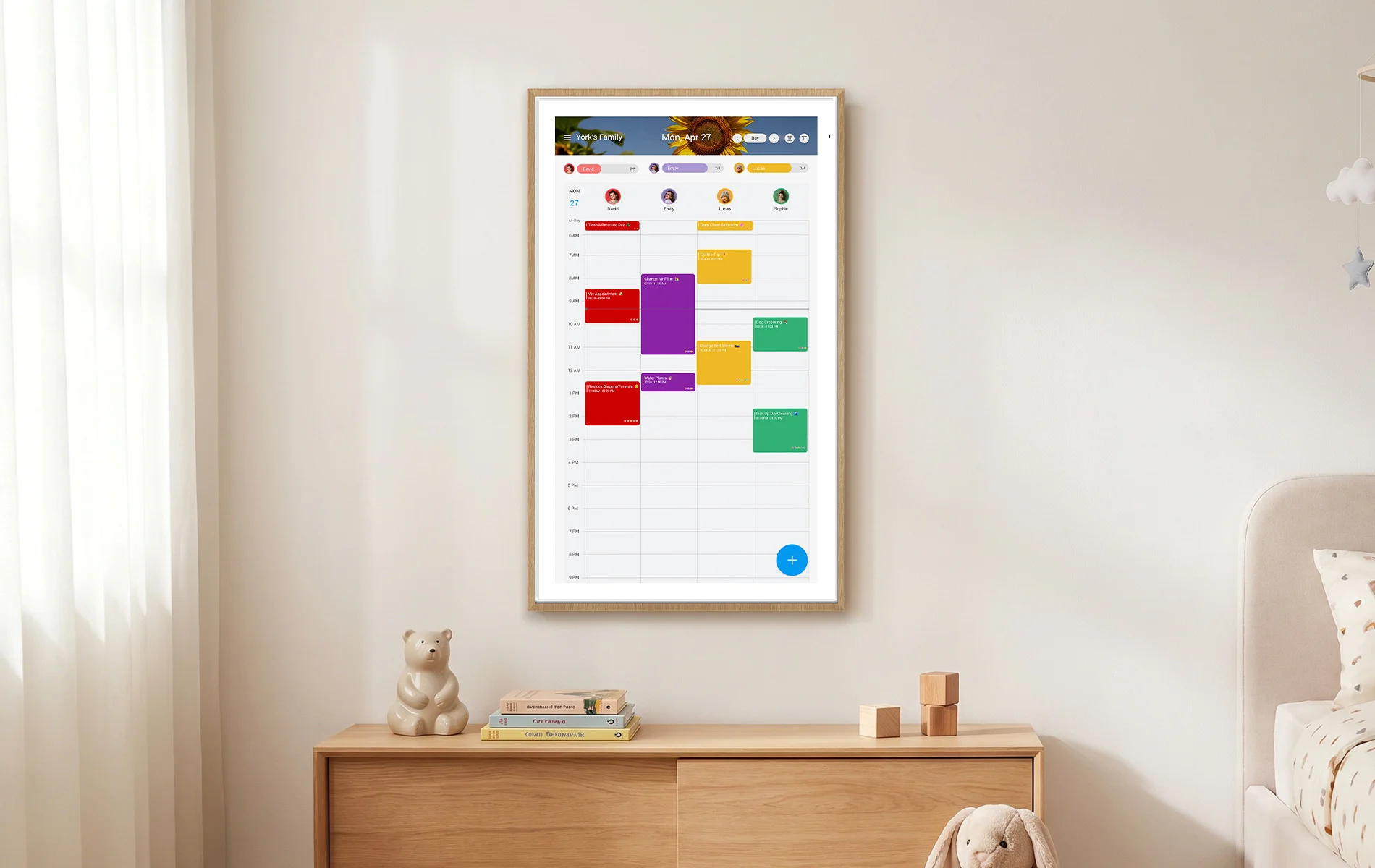
A wall-mounted family calendar is not a complicated product. It shows a shared schedule at a height everyone in the house can read, and the good ones stop the daily interrogation about who has practice and who is driving. What makes the category confusing in 2026 is not the hardware. It is that two products with the same sticker price can differ by several hundred dollars once you own them, because some of them charge a yearly fee for the features most buyers assume came in the box.
So this comparison leads with the number that matters: what each option costs to own for three school years. Prices below were checked on each manufacturer's own site on August 13, 2026, and sale prices move, so treat them as a snapshot rather than a quote.
The short version
| Entry price | Recurring fee | 3-year total (entry size) | Sizes offered | |
|---|---|---|---|---|
| Apolosign Digital Calendar | $279 (15.6", from $349) | None | $279 | 15.6" / 21.5" / 27" / 27" 4K |
| Skylight Calendar | $299.99 (15") | Plus $79/yr, first month free | ~$457 | 15" / larger sizes |
| Hearth Display | $594.15 (sale, from $699) | Membership required, from $5.76/mo | ~$801 at the 3-year plan rate | Single 27" display |
| Cozyla Calendar Plus 2 | $349.99 (15.6") | None advertised on its product page | $349.99 | 15.6" / 24" / 32" / 55" |
- Apolosign Digital Calendar — best if you do not want a bill attached to your wall
The argument for this one is structural rather than feature-by-feature: everything it does is in the purchase price. Multi-calendar sync across Google, Outlook and iCloud, the chores-and-points reward system, color-coded to-do lists, the widget dashboard and photo frame mode all arrive with the device, and no tier sits above them.
That matters more than it sounds, because the single most common regret in this category is discovering at month two that the meal planner or the rewards chart is a paid add-on.
It runs Android 16 with two modes. Calendar Mode is a dedicated scheduling interface; Android Mode is a full Android environment, which is how it doubles as a Google Home panel for doorbells, cameras and lights. Voice is Google Assistant.
Sizes run 15.6, 21.5, 27 and 27-inch 4K, at $279, $379, $579 and $679 respectively — all currently below list.
Where it is weaker: it stays plugged in. There is no battery in the Digital Calendar line, so your mounting position is decided by your outlets, and that is permanent. It is also a Google-ecosystem device, so an Alexa household should not expect a drop-in replacement. And on the larger sizes, the upfront number is genuinely higher than a subscription competitor's day-one price — the buy-once math wins over years, not in the first month.
- Skylight Calendar — best if you want the most established app
Skylight has been in this category the longest, and it shows in the software. The mobile app, the shared-list handling and the general polish are the benchmark other products get measured against, and if several family members will be adding events from their phones all day, that maturity is worth something real.
The device is $299.99. The Plus plan is $79 a year, with the first month free, and a meaningful set of features sits inside it rather than in the base purchase.
Over three school years the plan adds roughly $158 after the free month, taking the true total to about $457. That is not a criticism of the pricing model — a subscription funds continuous development, and this app has visibly benefited from it. It is simply a different deal than it looks like at checkout, and the buyer should see both numbers together.
- Hearth Display — best for chore-heavy households with older kids
Hearth is the most opinionated product here, and for the right family that is the point. It is built around routines and household responsibility rather than being a calendar with chores bolted on, and families running complicated mornings with multiple school-age kids tend to be the ones who love it.
It is $594.15 on its current back-to-school sale, from $699. A Family Membership is required and sold separately at setup: $9.00 a month monthly, $86.40 a year annually, or as low as $5.76 a month on the three-year plan. Your first month is included.
Take the cheapest route — the three-year plan at $207.36 — and three years of ownership lands near $801. It is the most expensive option in this comparison by a wide margin, and it is also the one with the most opinionated software. Whether that trade is good depends entirely on whether you want the routines system or just want to see the week.
- Cozyla Calendar Plus 2 — best if you want a genuinely large screen
Cozyla's distinguishing feature is range. The Calendar Plus 2 starts at $349.99 for 15.6 inches, but the line runs to 24 inches at $699.99, 32 inches from $899.99, and a 55-inch Calendar Max Go at $2,999.99. Nobody else in this comparison offers anything close to that top end.
Its product page does not advertise a subscription tier for the calendar, which puts it in the buy-once camp alongside Apolosign, though at a higher entry price for a comparable screen size.
If your wall is large, your household is large, or you want the display to be readable from across an open-plan kitchen, this is the line to look at first.
How to choose in about a minute
Ask three questions in this order.
Will this device carry a recurring charge, and am I fine with that? If the answer is no, you are choosing between Apolosign and Cozyla, and the decision comes down to size and price. If the answer is yes, Skylight is the mature option and Hearth is the opinionated one.
Where is the nearest outlet? Every product in this comparison is a permanently powered wall display. Measure the wall against your power before you decide anything else, because it will quietly overrule your preferred spot.
Who is going to enter the data? No screen fixes this. Somebody in the house still types in the schedule; what changes is that entering it once makes it visible to everyone instead of one person. Households expecting the calendar to plan itself are disappointed by all four of these, and it is worth knowing that going in.
For most families buying their first one this school year, the honest recommendation is the cheapest device that is large enough for the room and does not add a line to the monthly budget. That is a narrower question than the category's marketing suggests, and it is usually answerable in the store.
For most families shopping for their first wall-mounted digital calendar this school year, the practical recommendation is to go for the most affordable sufficiently-sized unit that avoids adding new monthly bills. This simplifies the buying decision far beyond flashy marketing claims, and you can narrow it down quickly before purchasing.

Written by
Hana SjöbergHana Sjöberg is a lifestyle and home product reviewer who has tested everything from espresso machines to robot vacuums across 50+ countries. She brings a global perspective to her reviews, focusing on kitchen appliances, home goods, travel gear, and everyday essentials that make life better.
Full profileEmbed Badge
Add this badge to your site to share this recommendation.
<a href="https://www.bestin2026.com/articles/best-digital-family-calendars-2026-three-year-cost" target="_blank" rel="noopener"><img src="https://www.bestin2026.com/api/badge?title=Best%20Digital%20Family%20Calendars%202026%3A%203-Year%20Cost" alt="Best Digital Family Calendars 2026: 3-Year Cost - Best in 2026" width="200" height="50" /></a>Keep Reading
Related Content
Articles


Products
Best Espresso Machines of 2026
Cafe-quality espresso at home. We pulled thousands of shots to find the best espresso machines from beginner-friendly to prosumer.
Feb 5, 2026
Best Air Purifiers of 2026
Clean air for every room size and budget. We measured real particulate removal rates to find the air purifiers that actually work.
Feb 5, 2026
Best Standing Desks of 2026
Sit-to-stand desks that are actually worth buying. We tested 22 electric standing desks for stability, speed, and build quality.
Feb 5, 2026