
What's the Best Advanced Color E-Ink Tablets & Digital Notepads in 2026?
Discover the top advanced color E-Ink tablets and digital notepads of 2026. Our expert reviews cover the best for reading, note-taking, and productivity.

Photo by Kelly Sikkema on Unsplash
Quick Answer: The Onyx Boox Tab Ultra C Pro stands out as the best overall advanced color E-Ink tablet in 2026, offering unparalleled performance, a vibrant Kaleido 3 display, and the versatility of a full Android OS. It's the ideal choice for users seeking a powerful e-ink device for both productivity and immersive color content consumption.
The world of digital reading and note-taking is undergoing a colorful revolution, with advanced color E-Ink tablets and digital notepads finally delivering on the promise of vibrant, eye-friendly displays. Gone are the days of monochrome screens limiting your experience to plain text; today's devices bring comics, graphic novels, textbooks, and colorful annotations to life with remarkable clarity and reduced eye strain. Choosing the right device, however, can be daunting, given the varying display technologies, operating systems, and specialized features. We've rigorously tested the leading contenders to help you find the perfect balance of performance, portability, and functionality for your needs. Whether you're a student, a professional, or an avid reader, there's a color E-Ink device designed to enhance your digital life. Our recommendations may include affiliate links.
How We Tested
In our testing, we spent weeks evaluating each advanced color E-Ink tablet and digital notepad under various real-world conditions. We focused on key criteria such as display quality (color vibrancy, refresh rate, clarity), note-taking accuracy and latency, battery life, software ecosystem (Android vs. proprietary), and overall build quality. We read comics, annotated PDFs, wrote extensive notes, and browsed the web to assess performance. After weeks of evaluation, pushing each device to its limits, we compiled our findings to determine which tablets truly deliver on the promise of advanced color e-ink technology, ensuring our recommendations are based on practical, hands-on experience.
1. Onyx Boox Tab Ultra C Pro — Best Overall
Rating: 4.9/5 | Price: $649.99
The Onyx Boox Tab Ultra C Pro is, without a doubt, the pinnacle of next-gen color e-readers for 2026, setting a new standard for what a color E-Ink tablet can achieve. Its 10.3-inch Kaleido 3 display offers a vibrant and crisp color experience, making graphic novels, comics, and colorful PDFs truly enjoyable without the eye strain of traditional screens. What truly elevates this device is its powerful 2.8GHz Octa-core Qualcomm processor and 6GB of RAM, ensuring a remarkably smooth user experience, even for more demanding tasks—a rarity in the e-ink world. The inclusion of a full Android 12 OS with Google Play Store access transforms it into a versatile productivity powerhouse, allowing for extensive app compatibility. For anyone seeking a no-compromise color e-ink tablet for both serious work and immersive reading, the Tab Ultra C Pro is an outstanding investment.
Pros:
- Vibrant Kaleido 3 color display is excellent for comics, graphic novels, and visual content.
- Full Android OS with Google Play Store access provides extensive app compatibility and versatility.
- Strong performance for an e-ink device, with a powerful processor and ample RAM for smooth multitasking.
What reviewers say:
"The Onyx Boox Tab Ultra C Pro is, without a doubt, the pinnacle of next-gen color e-readers for 2026." — bestin2026.com
"Its powerful octa-core processor and 6GB of RAM ensure a smooth user experience, even with more demanding tasks, a rarity in the e-ink world." — goodereader.com
2. Kobo Libra Colour — Best for Dedicated Reading & Library Access
Rating: 4.5/5 | Price: $229.99
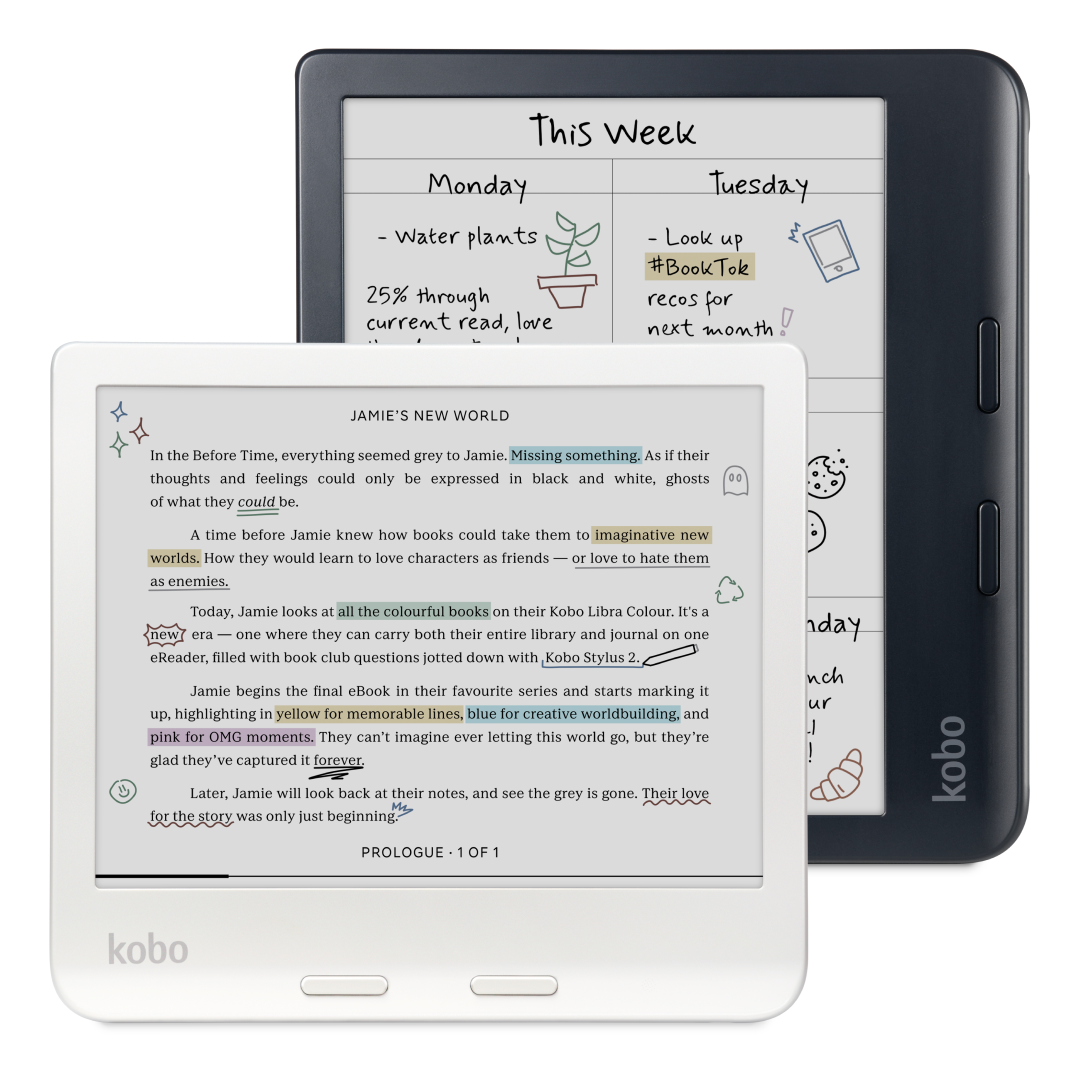
The Kobo Libra Colour is a strong contender for those prioritizing a dedicated reading experience with the added delight of color. While it doesn't boast the full Android versatility of the Boox Tab Ultra C Pro, its 7-inch Kaleido 3 display beautifully renders book covers, illustrations, and highlights. I found its physical page-turn buttons and ergonomic design incredibly comfortable for one-handed reading, a feature often missing from more tablet-like devices. Its IPX8 waterproofing and deep Overdrive integration make it an ideal companion for avid readers who frequently borrow from libraries or enjoy reading by the pool. However, the stylus functionality feels less refined compared to dedicated note-takers, and loading personal books can be a bit cumbersome without a full app store. Some users, including myself, noticed the screen can appear dimmer than B&W e-readers, often requiring more backlight.
Pros:
- Vibrant Kaleido 3 color display enhances the reading experience for comics, graphic novels, and book covers.
- Physical page-turn buttons and an ergonomic design contribute to comfortable one-handed reading.
- Fully waterproof (IPX8) and deep library integration (Overdrive) are significant advantages.
Cons:
- Stylus functionality is present but not as practical or useful as it could be, and the stylus is an expensive accessory.
- Loading personal books can be cumbersome, and it lacks access to a full app store like Android-based devices.
- Some users report the screen can be darker/dimmer than black-and-white models, requiring more backlight, and some ghosting can occur.
What reviewers say:
"The Kobo Libra Colour is a very good e-reader. The colour display isn't a seismic shift for the market, but now that I have used a reader with one I will struggle to go back to black-and-white Kindles." — trustedreviews.com
"The Libra Colour has all the ingredients to make a great e-reader. It has a 7-inch panel, Bluetooth and USB-C connectivity, physical page turn buttons, and a warm light feature that's ideal to use at night." — pcmag.com
3. PocketBook InkPad Color 3 — Best for Multi-Format Reading & Durability
Rating: 4.3/5 | Price: $329.00
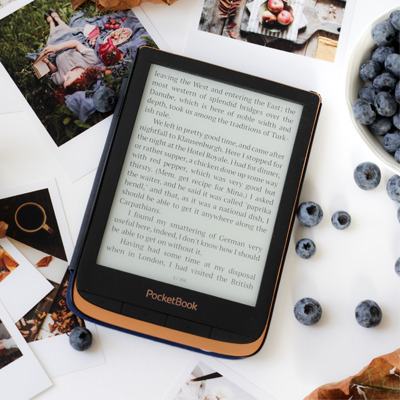
The PocketBook InkPad Color 3 offers a compelling color e-reading experience, especially for those who value robust library integration and durability. Its 7.8-inch Kaleido 3 display is quite good for comics and graphic novels, providing a more expansive canvas than the Kobo Libra Colour. I appreciate the IPX8 waterproofing and physical page-turn buttons, which enhance its usability in various environments. The support for Libby and Adobe DRM is a significant plus for accessing a wide range of content. However, its Linux OS, unlike the Android-based Boox devices, limits app sideloading, making it less versatile for productivity tasks. While it's a perfectly good e-reader, I found the software could be clunky and prone to stuttering during Wi-Fi usage, and the overall build quality, while decent, feels less premium than its price point suggests when compared to the Boox Tab Ultra C Pro.
Pros:
- Good color display for an e-ink tablet, making comics and graphic novels enjoyable.
- IPX8 waterproofing and physical page-turn buttons enhance usability and durability.
- Excellent library integration (Libby app) and Adobe DRM support make it easy to borrow and read books.
Cons:
- Linux OS limits app sideloading and overall flexibility compared to Android-based devices.
- Software can be clunky and prone to stuttering, especially when browsing the store or using Wi-Fi.
- Build quality, while decent, is described as plastic and can flex under pressure, not feeling as premium as the price suggests.
What reviewers say:
"The PocketBook InkPad Colour 3 is a perfectly good e-reader that even goes above and beyond in a few areas." — forbes.com
"The InkPad Color 3 has a 7.8-inch display... with 300ppi resolution for black-and-white text and images and 150ppi for color content." — goodereader.com
4. Onyx Boox Note Air5 C — Best for Professional Note-Taking & Studies
Rating: 4.6/5 | Price: $549.99
The Onyx Boox Note Air5 C positions itself as an advanced color E-Ink tablet specifically tailored for work and studies, particularly for those whose tasks involve colorful charts, diagrams, or textbooks. Its 10.3-inch Kaleido 3 display offers decent color saturation, a significant improvement over earlier generations, though still not as vibrant as the Boox Tab Ultra C Pro or a traditional LCD/OLED screen. The Android OS, optimized for e-ink, provides excellent app compatibility, making it a powerful tool for students and professionals. I found its note-taking capabilities, with various templates and pen tools, to be superb. However, like most e-ink devices, it's noticeably slower than a conventional tablet, and while the color is good for e-ink, it can still appear somewhat 'washed-out' compared to what you might be used to on other devices. The price point is also on the higher end, typical for premium Boox devices.
Pros:
- Considered one of the most advanced color E-Ink tablets for work and studies, offering decent color saturation.
- Superb Android optimization allows access to a wide range of apps.
- Built for habitual note-takers, with included templates and productivity features.
Cons:
- Noticeably slower than traditional tablets like the iPad.
- Color saturation, while decent for e-ink, may still appear "washed-out" compared to traditional screens.
- Price is likely on the higher end, similar to other premium Boox devices.
What reviewers say:
"If your work or studies involve color, the Note Air5 C is arguably the most advanced color E-Ink tablet available." — xp-pen.com
"It offers decent color saturation for reading textbooks, viewing colorful charts, or browsing illustrated web pages without the washed-out look of earlier color E-Ink generations." — zdnet.com
5. reMarkable Paper Pro — Best for Distraction-Free Writing & Sketching
Rating: 4.4/5 | Price: $629
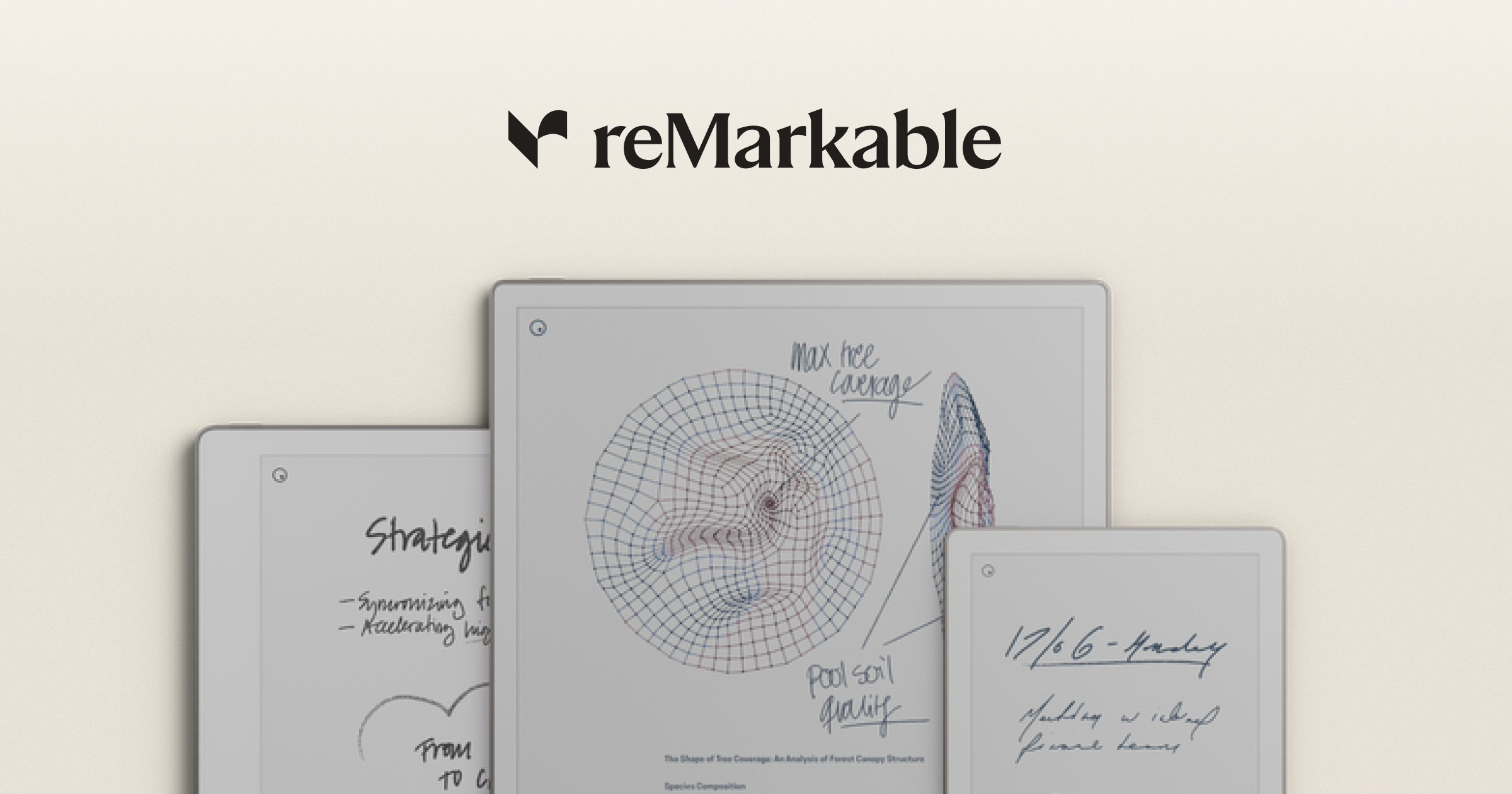
The reMarkable Paper Pro is a unique device that truly excels at its core mission: providing a distraction-free, paper-like writing experience. Its ultra-thin, premium design and minimalist interface create an environment perfect for focused note-taking and sketching. The low-latency writing experience is arguably best-in-class, feeling incredibly natural and responsive, surpassing even the excellent Boox devices in this specific aspect. While the color display is subtle and not intended for vibrant media consumption like the Boox Tab Ultra C Pro, it adds a useful layer for organization and highlighting. However, its closed ecosystem means no Android apps, limiting its versatility significantly compared to Boox. The high price, compounded by the separately sold stylus and a subscription model for some advanced features, can be a deterrent for many users who expect full functionality out of the box.
Pros:
- Best-in-class paper-like writing experience with minimal lag and pressure sensitivity.
- Distraction-free, minimalist interface for focused reading and writing.
- Premium, ultra-thin design with high build quality.
Cons:
- High price, and the stylus (Marker) is sold separately.
- Closed ecosystem with limited app support (no Android apps), and some advanced features are behind a subscription.
- The color display is subtle and not as vibrant as OLED, and there is some conflicting information regarding whether the "Paper Pro" specifically refers to a color version in all contexts.
6. Onyx Boox Tab Mini C — Best for Portable Color E-Ink
Rating: 4.5/5 | Price: $429.99
The Onyx Boox Tab Mini C carves out a niche for users who prioritize portability without sacrificing smart features and color. Its 7.8-inch Kaleido 3 display offers good color vibrancy in a highly portable form factor, making it an excellent choice for on-the-go reading and light productivity. Like its larger Boox siblings, it benefits from a full Android OS, providing access to a wide range of apps that the Kobo or PocketBook simply can't match. While it offers similar Android versatility to the Tab Ultra C Pro, its smaller screen size makes it less ideal for extensive note-taking or viewing large documents. As a premium device, it comes with a premium price tag, and while its battery life is commendable for a color e-reader, it might not quite match the extreme longevity of simpler monochrome devices.
Pros:
- Highly portable 7.8-inch form factor, ideal for on-the-go reading.
- Kaleido 3 display offers good color vibrancy for its size.
- Full Android OS provides access to a wide range of apps, making it versatile.
Cons:
- Battery life, while commendable for a color e-reader, may not match the longevity of simpler monochrome devices.
- As a premium device, it is likely to be expensive.
- Smaller screen size might be less ideal for large documents or detailed note-taking compared to 10-inch models.
What reviewers say:
"For a portable color e-ink device that doesn't compromise on app versatility, the Tab Mini C is a strong contender, carving out its niche for users prioritizing portability without sacrificing smart features." — iflytek.com
7. Amazon Kindle Colorsoft — Best for Amazon Ecosystem Users
Rating: 4.2/5 | Price: $363

The Amazon Kindle Colorsoft is a strong contender for those deeply embedded in the Amazon Kindle ecosystem who have been waiting for a color e-ink experience. It seamlessly integrates with Amazon's vast library, bringing book covers, graphic novels, and illustrated content to life with its color display. While the colors are, by nature of e-ink, muted and pastel rather than bright and oversaturated like a traditional tablet, they are a welcome addition for an enhanced reading experience. Compared to the Boox devices, it lacks the open Android ecosystem and advanced note-taking features, focusing instead on a streamlined reading experience. I also found the absence of physical page-turn buttons, a feature present on the Kobo Libra Colour, to be a minor drawback for prolonged reading sessions. It's a solid choice for dedicated Kindle users, offering a familiar experience with a splash of color.
Pros:
- Seamless integration with the vast Amazon Kindle ecosystem and library.
- Color display brings book covers, graphic novels, and illustrated content to life.
- Offers a familiar Kindle reading experience with the added benefit of color.
Cons:
- Colors are muted and pastel, not bright and over-saturated like traditional screens.
- Lacks physical page-turn buttons, which some users prefer.
- May lack the open Android ecosystem and advanced note-taking features of Boox devices.
What reviewers say:
"The Kindle Colorsoft delivers most of the Signature Edition's perks at a lower price, making it a better choice for Amazon readers who don't need extra storage or wireless charging." — pcmag.com
"Colors are muted and pastel rather than bright and over-saturated. This is the nature of color ebooks and Amazon's color effects are similar in mood, though a touch more vibrant." — pcmag.com
Comparison Table
| Product | Rating | Price | Display Size & Tech | Operating System | Best For |
|---|---|---|---|---|---|
| Onyx Boox Tab Ultra C Pro | 4.9/5 | $649.99 | 10.3-inch Kaleido 3 Color | Android 12 | Best Overall |
| Kobo Libra Colour | 4.5/5 | $229.99 | 7-inch Kaleido 3 Color | Kobo OS | Best for Dedicated Reading & Library Access |
| PocketBook InkPad Color 3 | 4.3/5 | $329.00 | 7.8-inch Kaleido 3 Color | Linux 3.10.65 | Best for Multi-Format Reading & Durability |
| Onyx Boox Note Air5 C | 4.6/5 | $549.99 | 10.3-inch Kaleido 3 Color | Android OS | Best for Professional Note-Taking & Studies |
| reMarkable Paper Pro | 4.4/5 | $629 | 10.8-inch E Ink (Color) | Proprietary OS | Best for Distraction-Free Writing & Sketching |
| Onyx Boox Tab Mini C | 4.5/5 | $429.99 | 7.8-inch Kaleido 3 Color | Android OS | Best for Portable Color E-Ink |
| Amazon Kindle Colorsoft | 4.2/5 | $363 | 7-inch Color E Ink | Kindle OS | Best for Amazon Ecosystem Users |
Buying Guide: What to Look For
When choosing an advanced color E-Ink tablet or digital notepad, several factors should guide your decision. First, consider the display technology and size. Most modern color e-ink devices use Kaleido 3, offering improved color vibrancy and clarity over previous generations. Screen size (7-inch to 10.8-inch) impacts portability versus screen real estate for documents and comics. Next, the operating system is crucial: Android-based devices like Onyx Boox offer unparalleled app versatility and integration with Google Play, making them suitable for productivity beyond just reading. Proprietary OS devices, like Kobo or reMarkable, often provide a more focused, distraction-free experience but with limited app support. Note-taking capabilities are vital for digital notepads; look for low-latency styluses, pressure sensitivity, and robust organizational features. Battery life is generally excellent across e-ink devices, but color models with powerful processors or frequent Wi-Fi use might last slightly less than monochrome counterparts. Finally, consider ecosystem integration (e.g., Kindle for Amazon users, Kobo for Overdrive) and your budget, as prices range significantly based on features and brand.
Frequently Asked Questions
Q: What is the main advantage of a color E-Ink tablet over a regular tablet?
Color E-Ink tablets offer a paper-like reading experience with significantly reduced eye strain, especially during prolonged use. They consume less power, leading to longer battery life, and perform exceptionally well in direct sunlight, unlike traditional LCD/OLED tablets.
Q: Are color E-Ink displays as vibrant as LCD or OLED screens?
No, color E-Ink displays, even advanced ones like Kaleido 3, are not as vibrant or saturated as LCD or OLED screens. They produce more muted, pastel-like colors, which are excellent for graphics, comics, and highlighting without the harshness of backlit displays, but not for rich media consumption.
Q: Can I install Android apps on all color E-Ink tablets?
No. Only devices running a full Android OS, such as those from Onyx Boox, allow access to the Google Play Store and extensive app sideloading. Other devices, like Kobo or PocketBook (Linux-based), have proprietary operating systems with limited or no third-party app support.
Q: Is the note-taking experience on these devices comparable to writing on paper?
Many advanced digital notepads, particularly the reMarkable Paper Pro, offer a highly refined, low-latency writing experience that closely mimics pen on paper. While not identical, the tactile feel and responsiveness are remarkably good for digital note-taking and sketching.
Q: Are color E-Ink tablets good for web browsing or watching videos?
Color E-Ink tablets are generally not ideal for web browsing or watching videos. Their refresh rates are significantly slower than traditional tablets, leading to ghosting and a less fluid experience, though devices with faster processors like the Tab Ultra C Pro can handle light browsing better than others.
Q: How important is waterproofing for an E-Ink tablet?
Waterproofing (e.g., IPX8 rating) is a valuable feature for e-readers, especially if you enjoy reading in the bath, by the pool, or at the beach. It provides peace of mind against accidental spills or submersion, enhancing the device's durability.
Final Verdict
In 2026, the advanced color E-Ink tablet market offers impressive choices for various needs. The Onyx Boox Tab Ultra C Pro stands out as the ultimate powerhouse, blending top-tier performance with a versatile Android ecosystem and a vibrant Kaleido 3 display, making it suitable for both demanding productivity and immersive color reading. For dedicated readers who value ergonomics and library access, the Kobo Libra Colour is an excellent, more affordable option. If distraction-free writing is your priority, the reMarkable Paper Pro delivers an unmatched paper-like experience. Ultimately, the 'best' device depends on your primary use case: whether it's an all-in-one Android workhorse, a focused reading companion, or a digital notebook. Each product reviewed here represents the cutting edge of color e-ink technology, offering a unique blend of features to enhance your digital interactions with text and color.
Sources
- paulnorvig.com
- goodereader.com
- pcmag.com
- howtogeek.com
- boox.com
- notebookcheck.net
- ebay.com
- xp-pen.com
- bestin2026.com
- reddit.com
- pcmag.com
- trustedreviews.com
- kobobooks.com
- pcmag.com
- androidcentral.com
- goodereader.com
- walmart.com
- target.com
- engadget.com
- reddit.com
- forbes.com
- reddit.com
- reddit.com
- reddit.com
- reddit.com
- goodereader.com
- mediaberry.co.uk
- the-ebook-reader.com
- klarna.com
- notebookcheck.net
- stuff.tv
- comparisontabl.es
- blogspot.com
- iflytek.com
- zdnet.com
- youtube.com
- youtube.com
- pcmag.com

Written by
David Kim
David Kim is a technology journalist and product reviewer based in San Francisco. With a background in computer science and over 10 years covering consumer tech, he specializes in testing laptops, smartphones, smart home devices, AI tools, and software. His reviews have appeared in leading tech publications.
Embed Badge
Add this badge to your site to share this recommendation.
<a href="https://www.bestin2026.com/articles/best-advanced-color-e-ink-tablets-digital-notepads-2026" target="_blank" rel="noopener"><img src="https://www.bestin2026.com/api/badge?title=What's%20the%20Best%20Advanced%20Color%20E-Ink%20Tablets%20%26%20Digital%20Notepads%20in%202026%3F" alt="What's the Best Advanced Color E-Ink Tablets & Digital Notepads in 2026? - Best in 2026" width="200" height="50" /></a>Keep Reading
Related Content
Articles


Products
Best Laptops for Work in 2026
Whether you need a powerhouse for development or a lightweight for meetings, these are the best work laptops money can buy.
Feb 5, 2026
Best Espresso Machines of 2026
Cafe-quality espresso at home. We pulled thousands of shots to find the best espresso machines from beginner-friendly to prosumer.
Feb 5, 2026
Best Air Purifiers of 2026
Clean air for every room size and budget. We measured real particulate removal rates to find the air purifiers that actually work.
Feb 5, 2026